cap_01
PostgreSQL and Oracle connectors
JDBC sources and targets out of the box. Source query and target table mapping declared in the flow; ARFlow handles the transport.
Batch ETL orchestration
Scheduled data movement between PostgreSQL and Oracle. Full, incremental and computed loads. CRON-driven runs.
Enterprises still run scheduled cross-database loads — Oracle into PostgreSQL, PostgreSQL into PostgreSQL, snapshots into warehouses — and the production tooling for that work is typically a graveyard of shell scripts, undocumented cron entries and one engineer who remembers why a column is type-cast. ARFlow gives those workloads a control plane: declarative flows, full / incremental / computed modes, batch writers tuned for COPY, run history, and the same identity model as the rest of the platform.
JDBC sources and targets out of the box. Source query and target table mapping declared in the flow; ARFlow handles the transport.
Full reloads a whole table. Incremental advances by a watermark column. Computed runs an expression-driven transformation before writing.
Schedules attached to flows. Every run records start, end, rows moved, error if any. Manual one-off runs share the same history surface.
PostgreSQL target writer uses COPY for throughput; Oracle target writer uses batched inserts. Batch size is configurable per flow.
ExecutorService-backed run engine. Multiple flows execute concurrently; per-flow concurrency is bounded so a slow target does not block the rest.
Same identity flow as ARCloud, ARStudio and ARStreams. Operators see flows for the tenants they own; admins see everything.
REST + audit log. Every flow modification, schedule change and run trigger lands with operator, timestamp and target.
Captured from a live evaluation environment. Same UI customers run; nothing reproduced from a brochure.
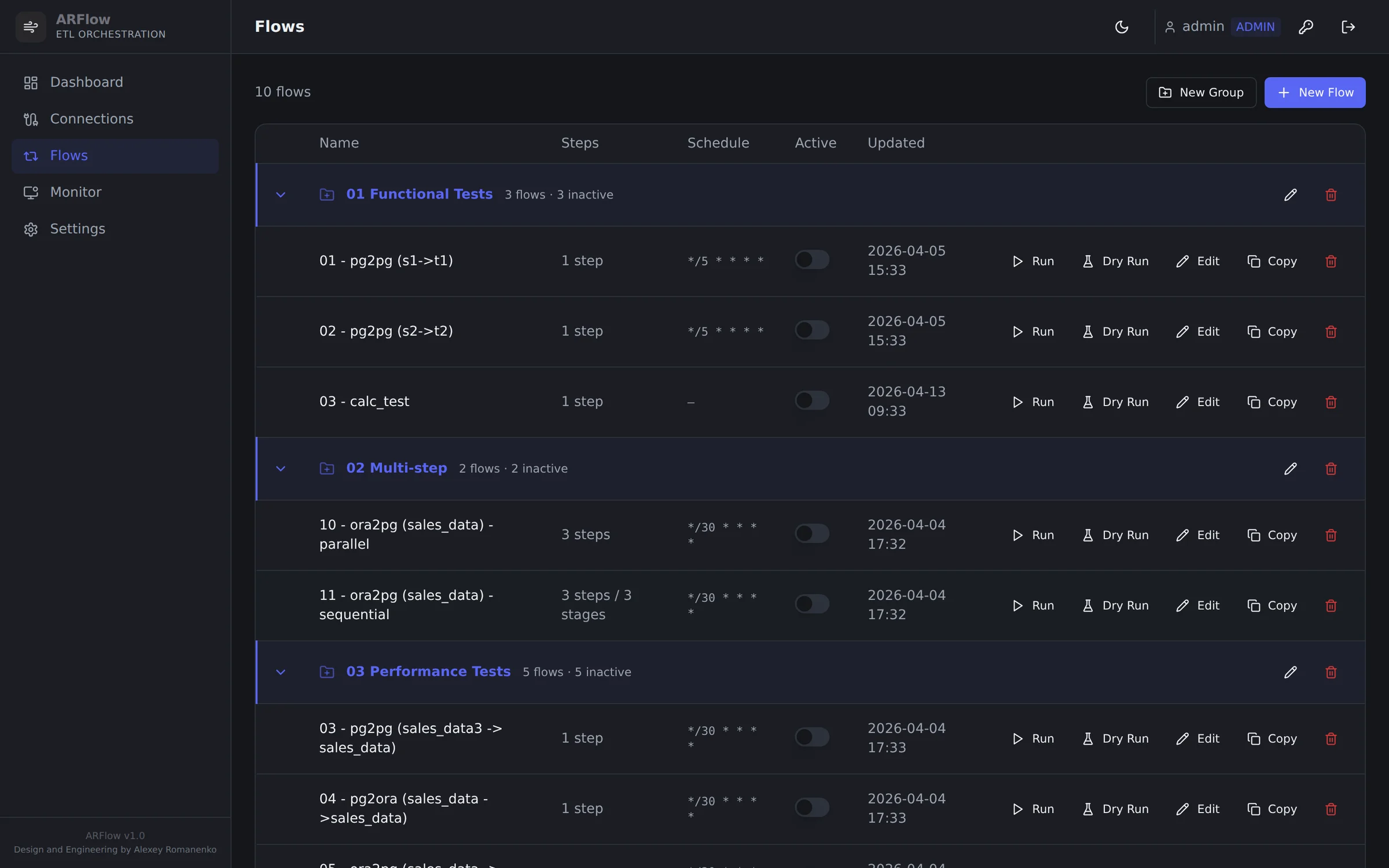
Flow registry — CRON schedule, last-run outcome, rows-moved counter and group taxonomy (functional / multi-step / performance regression). Same surface ops uses to triage failing pipelines.
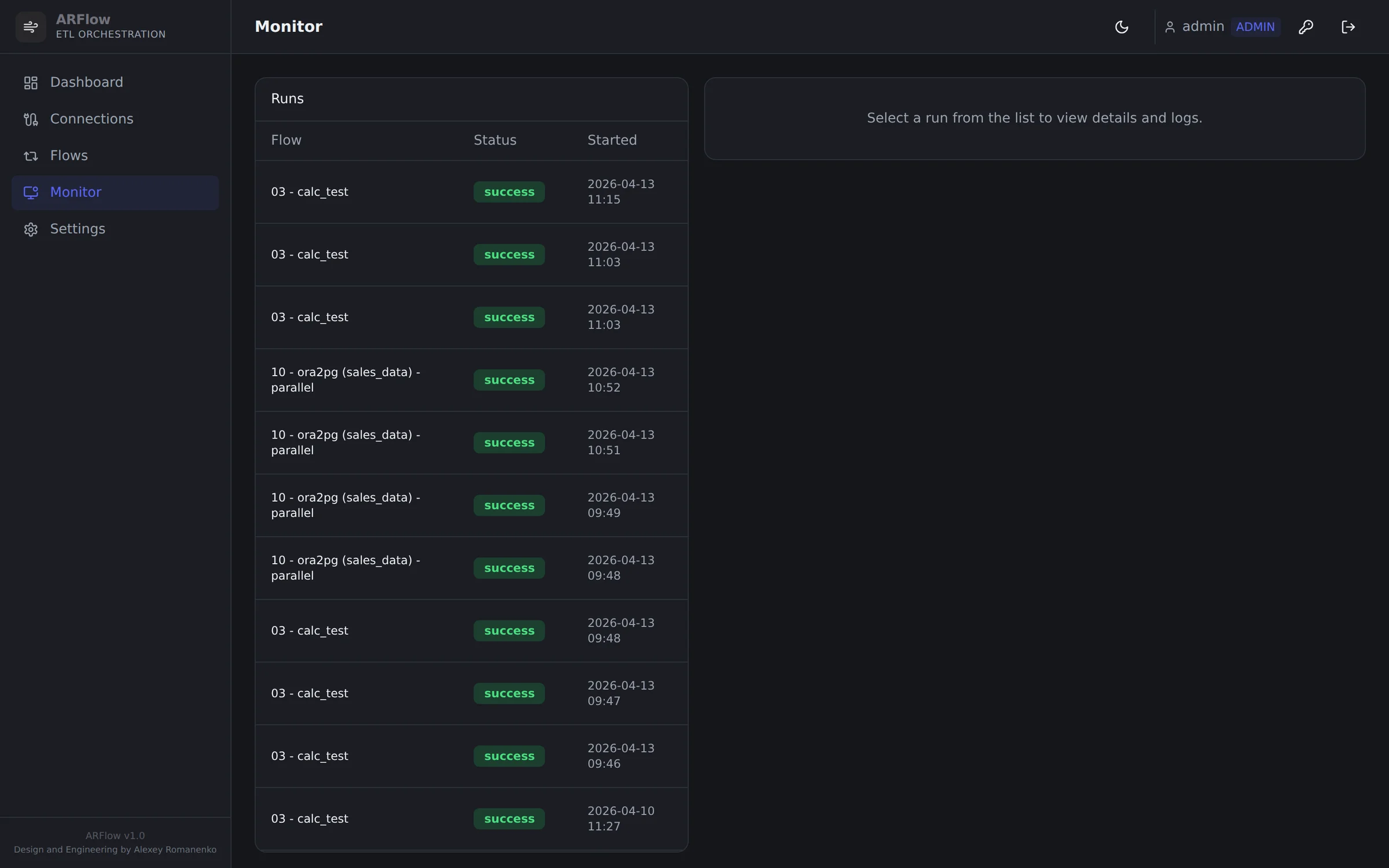
Run monitor — every triggered or scheduled run with duration, rows and final state.
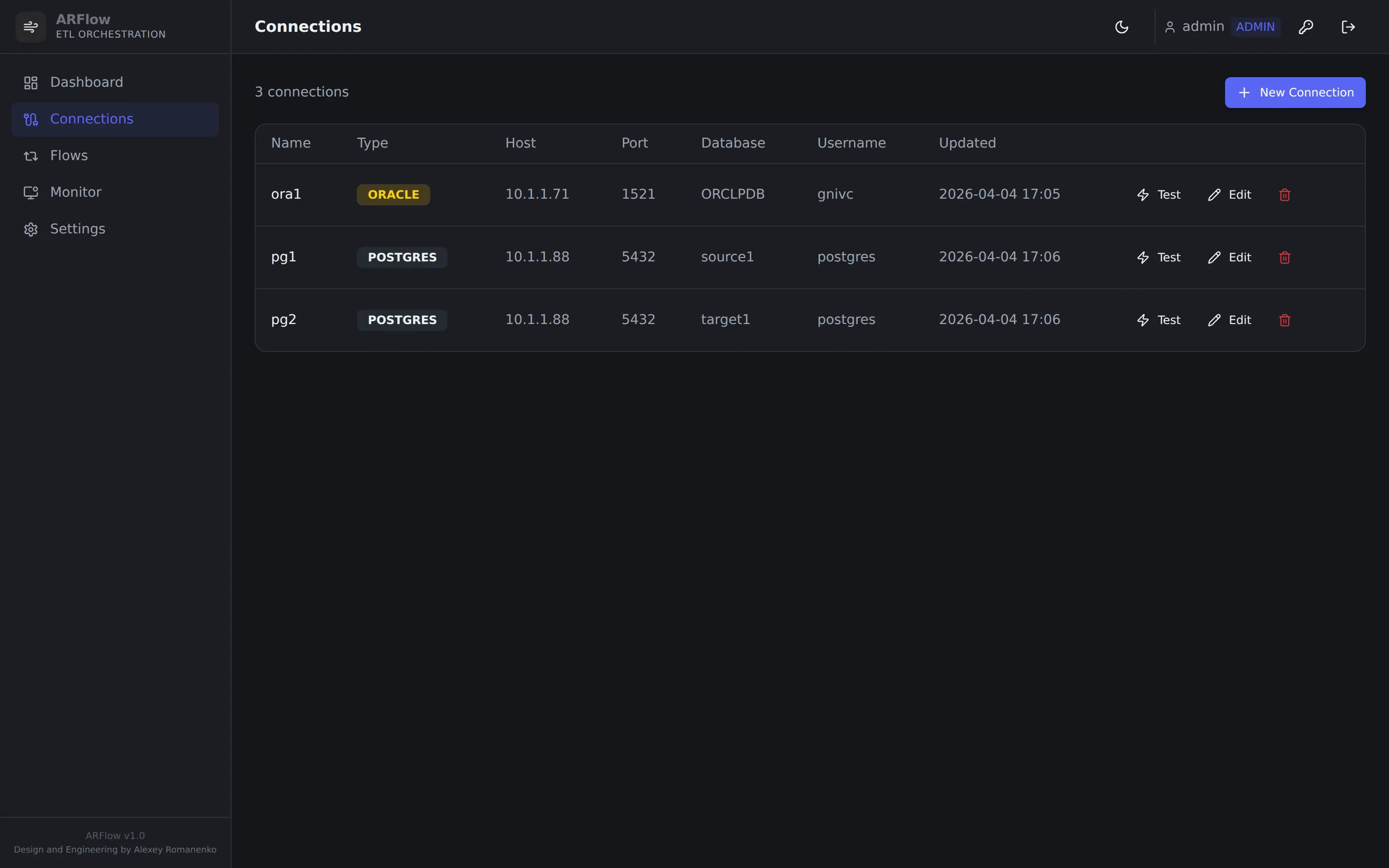
Source and target databases — JDBC connections managed in the platform, not in scripts.
ARFlow is a Spring Boot service backed by PostgreSQL for state, with a React control surface. The data plane is a runtime that reads from a JDBC source, decodes rows according to the flow definition, and writes them to a JDBC target using a strategy chosen per target. There is no broker between source and target — the platform owns the entire batch lifecycle in-process.
Each run is a fresh execution under ExecutorService. State for resumability lives in the metadata database, not in process memory.
Flow definitions, connection metadata, schedule, run history, audit — all in the ARFlow metadata database. Flyway-versioned schema (V1–V5 today).
Source query is parameterised by mode (full / incremental / computed). Watermarks advance only after the target acknowledges the batch.
PgWriter, OracleWriter, BatchWriter. Adding a target type means implementing the writer interface and registering it.
Every run row in the metadata database — start, end, rows in / out, exit status, error trace. Surfaced through REST and the React console.
CRUD on flows, connections, schedules, runs. Same identity tokens ARCloud and ARStudio issue.
Every product action available in the UI is reachable through a JWT-secured REST API. The control plane is the API; the UI is one of its consumers.
Returns every flow with its schedule, last run state and rows moved.
/api/v1/flows[
{
"id": "flow_oracle_billing_nightly",
"mode": "incremental",
"schedule": "0 2 * * *",
"last_run": { "state": "ok", "rows": 184232, "ended_at": "2026-05-17T02:04:11Z" }
}
]Starts an ad-hoc run; same code path as the scheduled one. Returns the run id for polling.
/api/v1/flows/{id}/runs{
"run_id": "run_018f3c2a",
"state": "running",
"started_at": "2026-05-17T08:30:02Z"
}Paginated history with rows moved, duration, errors. Same data the UI lists.
/api/v1/flows/{id}/runs?limit=50The `arctl` CLI talks to the same control plane as the UI. Same primitives, scriptable, suitable for CI and on-call.
Block until completion; non-zero exit on failure — wire into CI.
arctl flow run flow_oracle_billing_nightly --waitRUN run_018f3c2a
STATE running ...
STATE ok
ROWS 184232 duration=4m12sRecent runs across the platform — same surface as the run-history page.
arctl flow runs --since=24hFull run trace: per-step rows, durations, errors.
arctl flow run-status run_018f3c2aJDBC. Target writer uses PostgreSQL COPY for high-throughput inserts. Source query is arbitrary — no schema introspection required.
JDBC. Oracle target writer uses batched inserts. Watermark-based incremental runs work on any indexable column.
PostgreSQL clusters provisioned by ARCloud are registered as ARFlow connections automatically once a tenant grants visibility.
Source and target clusters watched by ARStudio surface their ARFlow throughput in real time. One identity gates both.
Streaming and batch coexist. ARStreams owns continuous CDC; ARFlow owns scheduled reconciliation and one-off loads. They share metadata schema family.
Standard cron expressions. Time zones per flow. Manual override available at any time.
Reference data, slowly-changing dimensions, regulatory snapshots — moved on a CRON schedule with full audit. The same engine runs the one-off backfill.
Pull from a source-of-truth Postgres into satellite databases that drive operational reporting. Incremental mode keeps lag bounded; full mode handles cold start.
Computed mode runs expression transformations before writing — useful for regulator-shaped outputs that diverge from operational schemas.
ARStreams handles continuous CDC; ARFlow re-validates totals nightly. Two systems, one identity, one audit surface.
During a multi-month migration ARFlow runs the bridge loads. Run history doubles as evidence of correctness for the cutover review.
ARFlow ships as a Spring Boot JAR with a React control surface and a small PostgreSQL for state. It needs outbound JDBC to source and target databases — nothing else. Runs on bare-metal, Proxmox VE, or container.
Open the workspace if you already hold credentials, or request guided access through the briefing flow.